
Analytics

Analytics for AI Calls, Campaigns and Cost

Amernet analytics answers the questions that decide whether an AI agent stays switched on: is it answering well, is it fast enough to feel human, and what is it costing you.

Every call carries a transcript, a recording, a sentiment reading and an outcome. Every agent has its own numbers. Every period is compared against the one before it, so you can see movement rather than a single figure.

Response time is measured per conversational turn, not per call — because a two-second pause is what makes a caller talk over your agent.
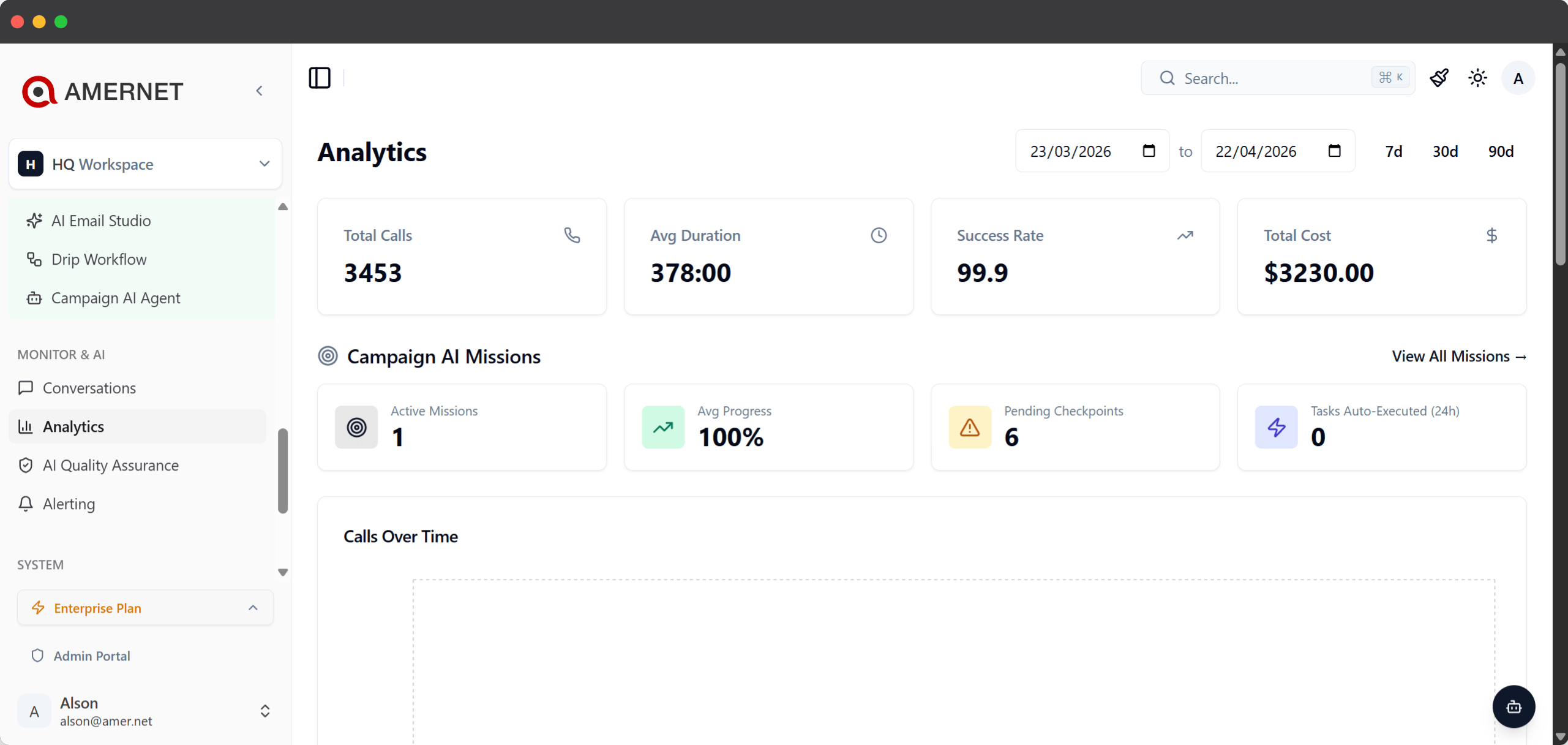
Amernet analytics dashboard for AI calls, showing volume, response time and cost
The picture

What Amernet analytics actually shows

Volume, quality, speed and cost — and how each is trending.

The overview reports call volume, how it compares with the previous period, and how your agents are performing against each other. Calls are plotted over time so a bad Tuesday is visible as a bad Tuesday rather than buried in a monthly average.

Beyond calls, the growth view follows contacts, email engagement and the journeys people are moving through, so outreach and conversation are read side by side.

Every agent is measured separately. When one agent handles renewals well and another struggles with a technical script, that shows up as two sets of numbers rather than one blended average that hides both.

Cost is broken down by category, so the spend behind a busy month is attributable rather than a single line on an invoice.

What you can see

Six things the numbers tell you

Each one answers a question somebody actually asks.

Volume, and whether it moved

Calls over time at the granularity you choose, with every figure compared against the previous period so you see direction, not just a total.

Response time per turn

Latency at p50, p75, p90 and p99. Under 1.5 seconds feels like a conversation; past 3 seconds it starts to feel like a bad line.

Sentiment and outcome

Each call is read for sentiment and outcome, so you can find the calls that went badly instead of sampling at random.

Per-agent performance

Every agent has its own numbers. The one that needs a better script is visible rather than averaged away with the ones that work.

Cost, broken down

Spend split by category, so a busy month can be explained rather than simply noticed when the invoice arrives.

Campaign engagement

Email campaigns report their own opens and clicks, with a heatmap showing which link in the message actually pulled.

Per call

Every call, on the record

Open any single call and read exactly what happened.

Open a call and you get the full transcript, the recording, how long it ran, what it cost, the sentiment reading and the outcome. You also get the response time for that specific conversation, rated so you can tell at a glance whether the pauses were the problem.

Calls that never reached a person are identified as what they were — an IVR, a voicemail greeting, or another answering system — so your connection figures mean people, not dial attempts.

The language model that ran each conversation is recorded at the time of the call. Change an agent to a faster model tomorrow and last month’s calls still show what actually served them.

That matters the moment you try to answer “did switching models make it faster?” — a question you cannot answer if the record only ever shows the current setting.

Questions

Common questions about Amernet analytics

What people ask when they start measuring their agents.

Under about a second and a half end to end feels like a normal conversation. Between one and a half and three seconds is noticeable but workable. Past three seconds callers start talking over the agent. Latency is reported at p50, p75, p90 and p99 so you see the bad calls, not just the typical one.

Yes. Each call keeps its transcript and recording alongside its duration, cost, sentiment and outcome, so any individual conversation can be read back in full.

Per-agent performance is reported separately rather than blended, so a single weak script or voice shows up on its own numbers. See AI agents.

They are identified as voicemail, IVR or another answering system rather than counted as conversations, so a connection rate reflects people actually reached.

Yes. Campaigns report their own opens and clicks plus a click heatmap, and the growth view follows contacts and journeys alongside call activity.

Nothing. The model is recorded at the time of each call, so historical calls keep showing what actually ran them and before-and-after comparisons stay honest.

See your own numbers

Run a few calls and read what comes back.

Analytics is most convincing on your own traffic. Book a short session, put an agent on a handful of real calls, and we will go through the transcripts, the response times and the cost together.