
AI Email Studio

Write, Design and Send Email Campaigns with AI

Amernet AI Email Studio writes the email, lays it out, and sends it — one campaign or a whole follow-up sequence, from a brief rather than a blank page.

The AI drafts a sequence in a single pass, so the second email knows what the first one said and the last one does not repeat the pitch. You edit anything you want before it goes out.

After it sends you get opens, clicks and a heatmap of where people actually clicked — per campaign, not just a total.
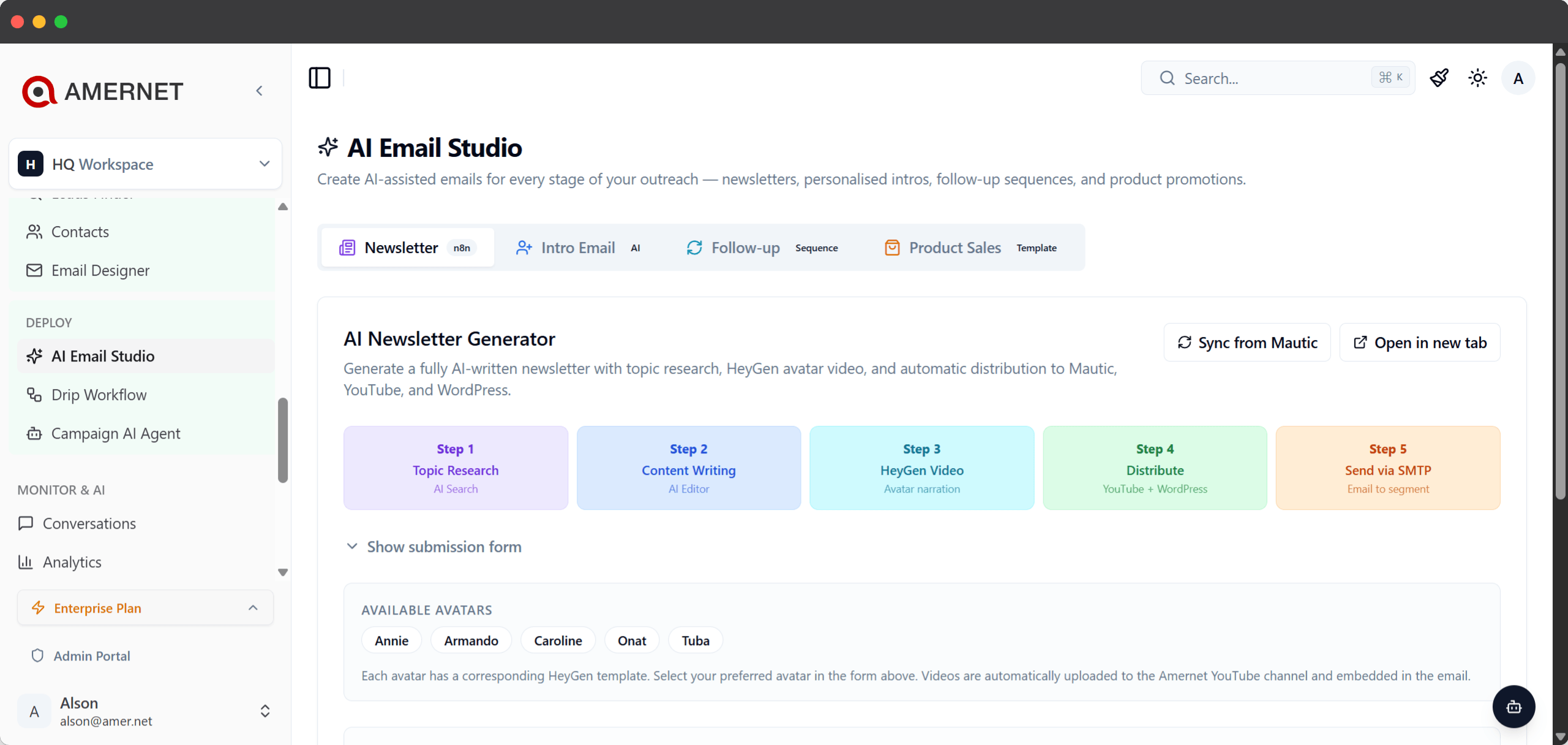
Amernet AI Email Studio composing an email campaign
The studio

What AI Email Studio actually does

A brief goes in; finished, editable email goes out.

Give the Studio a product, an audience and an offer, and it writes the email — subject line, body and call to action. It is a draft you own: edit the copy, change the layout, swap the images, or ask the AI to take another pass at any part of it.

Nothing is sent while you are working. A campaign stays a draft until you press send.

Follow-ups are generated as a set rather than one at a time. One prompt writes the whole sequence, so the escalation holds together — the early emails carry the value, the later ones acknowledge the silence, and the last one closes the loop without repeating the opener.

Written one by one, sequences drift into the same opening line three times. This is why they are written together.

What it gives you

Six things you get out of the Studio

From first draft to click heatmap, in one place.

AI that writes the first draft

Subject, body and call to action from a short brief. Rewrite any part of it, or ask for another pass, until it sounds like you.

Whole sequences in one pass

Follow-up sequences are generated together, so each email knows what the one before it said and the tone escalates properly.

A visual designer, not raw HTML

Lay the email out visually, with your own images from the built-in asset library. Import an existing campaign and keep working on it.

Opens, clicks and a click heatmap

Per-campaign analytics show who opened and clicked, and a heatmap shows which link in the email actually pulled.

An AI promo video, optional

A promo campaign can have a generated video attached. It lands in the draft when it is ready, so nothing goes out half-finished.

Replies come back to one inbox

Answers land in the Reply Inbox next to your LinkedIn and website activity, so the follow-up happens where the conversation is.

After it sends

What the numbers tell you

Opens and clicks, plus where in the email people clicked.

Every campaign reports its own opens and clicks, and a heatmap shows which link did the work. That is usually the difference between “the email did well” and knowing the second button is the one worth keeping.

A campaign you like can be marked as a template and used as the base for the next one, so a format that works does not have to be rebuilt.

Open tracking is deliberately careful. Gmail, Yahoo and Apple Mail pre-fetch tracking pixels whether or not anyone opened the message, so a naive counter over-reports. Proxy fetches are recognised for what they are rather than treated as a person reading your email.

Questions

Common questions about AI Email Studio

What people ask before letting AI write the campaign.

No. Everything the AI produces is a draft, and a campaign is only sent when you send it. If a promo video is being generated, the campaign waits in draft until the video is attached.

All of it. The draft is a normal campaign — change the subject, rewrite a paragraph, move the layout around, or ask the AI for another pass at one section while keeping the rest.

A sequence is generated in one pass rather than email by email, so the escalation is coherent: later emails reference the silence instead of repeating the original pitch.

Yes. The Studio has its own asset library — upload images, rename them and reuse them across campaigns. You can also import an existing campaign and work from that.

Opens, clicks, and a heatmap of which links were clicked, per campaign. See analytics for how that sits alongside the rest of your activity.

More accurate than a plain pixel counter. Mail providers pre-fetch tracking images whether or not the message was read, and those proxy fetches are identified rather than counted as genuine opens.

Write your next campaign from a brief

Bring a product and an audience; see the draft it produces.

The fastest way to judge it is to watch it draft a campaign for something you actually sell. Book a short session and we will write one together, then look at what the sequence would say over the following fortnight.